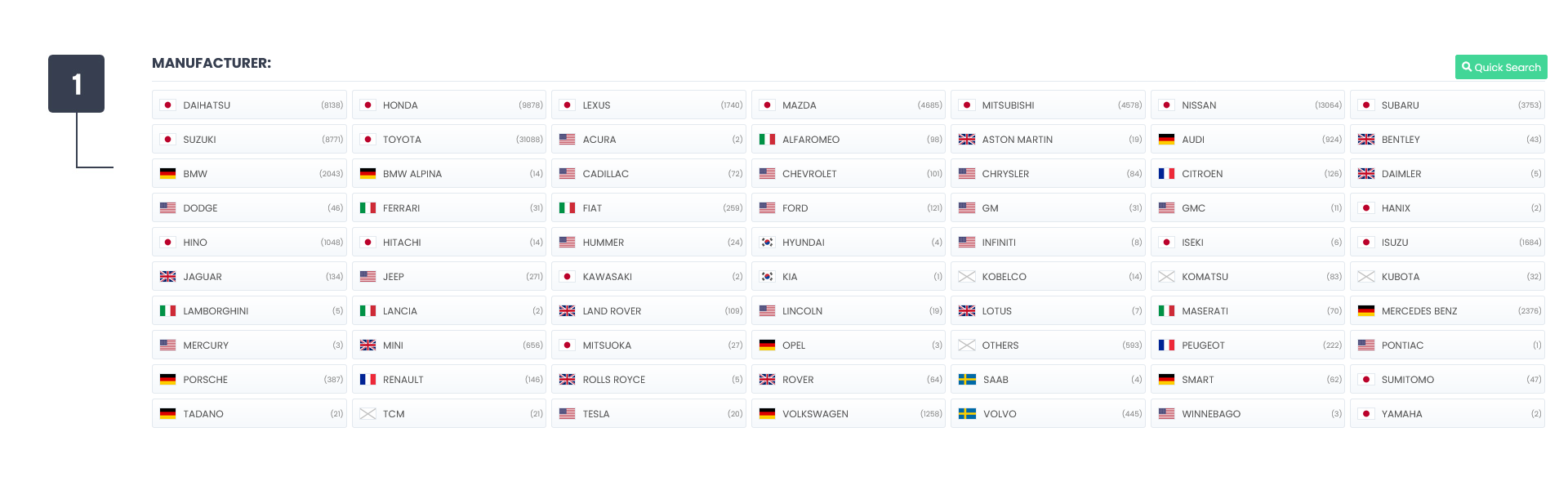
Start by selecting a manufacturer from the list. The most common manufacturers are listed at the top followed by every other in alphabetical order. Until a manufacturer is selected all other filter options are inaccessible. The manufacturer list data is syncronised with the Japanese api data servers every 60 seconds and is stored on our database for a faster user experience.
2
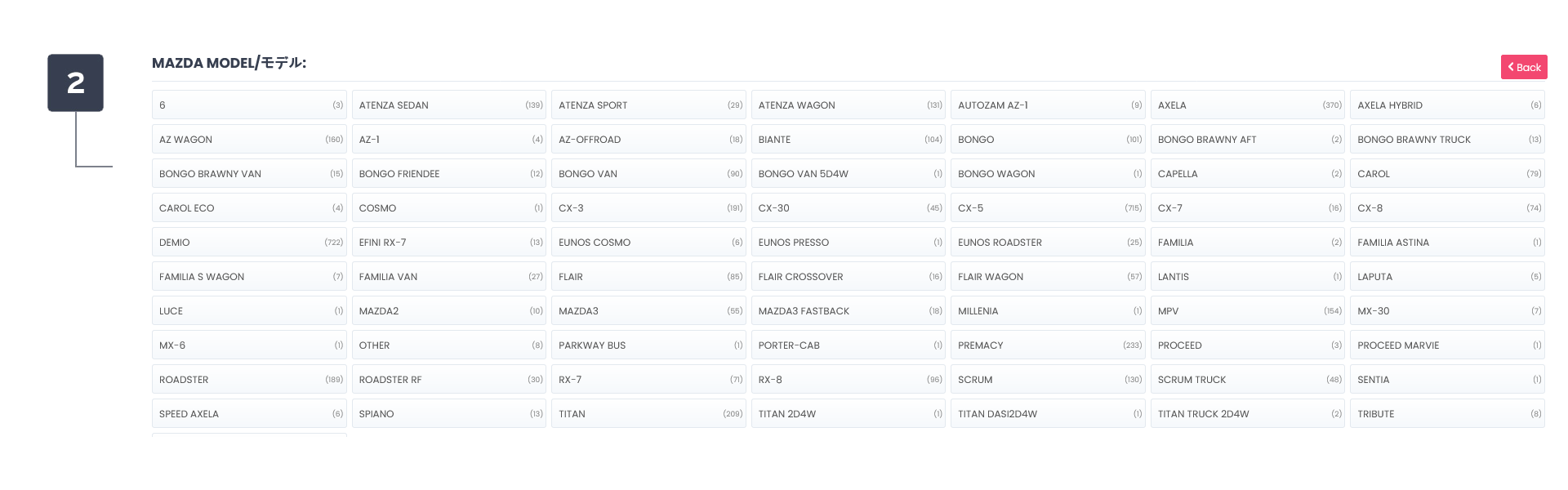
Based on the chosen manufacturer a list of available models is displayed. Until a model is selected the advanced filter options are inaccessible. The model list data is syncronised with the Japanese api data servers every 60 seconds and is stored on our database for a faster user experience. You can return to the manufacturer list at any time by using the Back button.
-
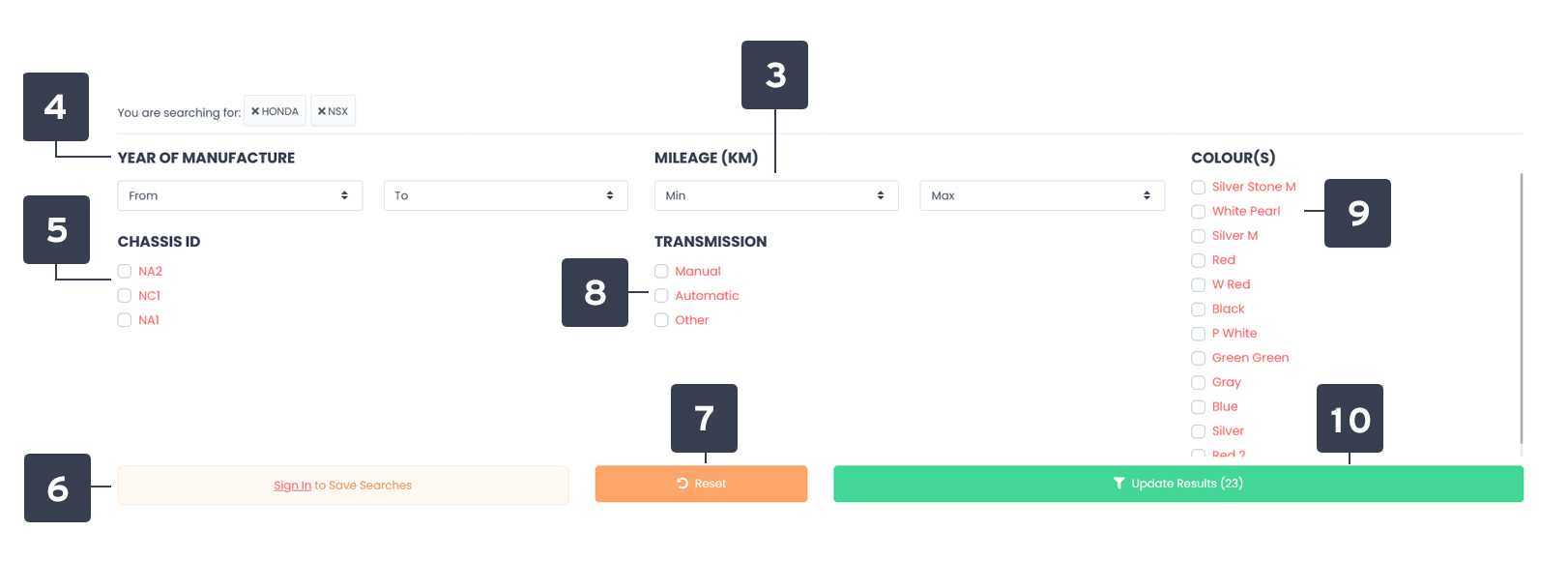
All advanced filter options are pulled in via an API from the Japanese data centres based on the manufacturer and model selected.
3
Mileage is shown in KM and the options range from 10,000km to 150,000km for minimum mileage and 10,000km to 300,000km for maximum mileage. Odometer reading in miles is calculated and rounded up to the nearest 1000.
4
Year of manufacturer options are selectable so you can choose min year to max year. So for a DC5 prefacelift you'd set the maximum year to 2005 for example.
5
Chassis IDs are the codes designated to a particular model. You can choose as many of these chassis IDs as you like to narrow down your search.
Want to go back to default search parameters? Simply click on the reset button to perform this action.
8
A list of transmission options for lots that match the manufacturer and model you have chosen are displayed. You can choose multiple options.
9
A list of colour options for lots that match the manufacturer and model you have chosen are displayed. You can choose multiple options.
10
Each time an option is chosen a search is performed to count the number of results available. If there are no results the button will change to red notifying you of no results. Try resetting the search parameters and filtering again.